Tsuki Tea House: Walkthrough and Guide
I am a big fan of HyperBeard. They first caught my attention with KleptoCats and have since become synonymous with adorable, cozy mobile games. One of their cutest games, Tsuki’s Odyssey, still charms players with its unique gameplay and storybook/diorama aesthetics. The game’s popularity led HyperBeard to expand the series with Tsuki’s Adventure and Tsuki Tea House. I have played both games, and each one has been a delightful experience from start to finish.
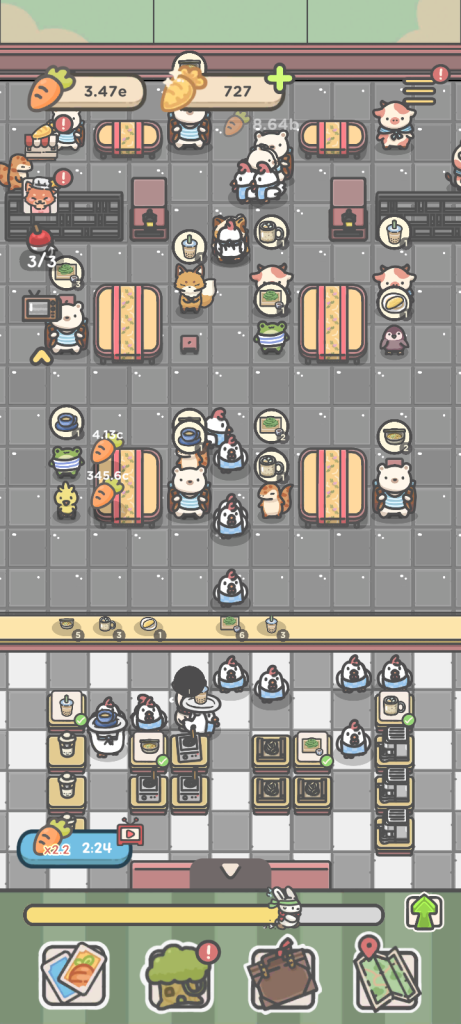
Tsuki Tea House is a cozy idle game. I have a hunch that it’s a prequel to the first two entries in the series. It puts you in charge of a snug tea house in Mushroom Village, where you will brew tea, serve adorable animal customers, and grow your profits. As your business flourishes, you will unlock new locations around the world and expand. There’s more to do than just run your tea house. You will be catching bugs and fish, unlocking adorable diary entries, and even growing crops on your own little farm. Oh, and one more thing – you will be brewing unique teas for your friends too. Let’s get started with this beginner-level guide and walkthrough:
Quick Access
Starting Out
1. At the start of each new location, you will serve your customers a selection of teas and snacks. Tap the white display stand to unlock a new tea or snack. Doing so will also unlock a new cooking station right next to the display, where Tsuki or his helpers will prepare the newly available food item and serve it to customers.
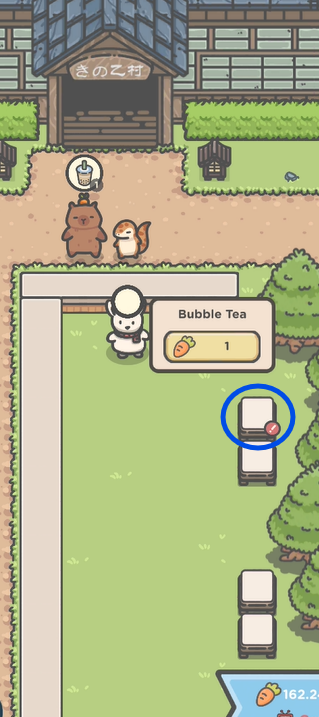
2. Carrots are the game’s primary currency. You will earn them whenever Tsuki serves tea and snacks to his customers. Use them to upgrade tea and snacks. There are other ways to earn carrots, which we will cover later in this guide.
3. The red exclamation mark on the white display stand indicates that a food upgrade is available. Tap a white display stand to view the current level of a tea or snack.
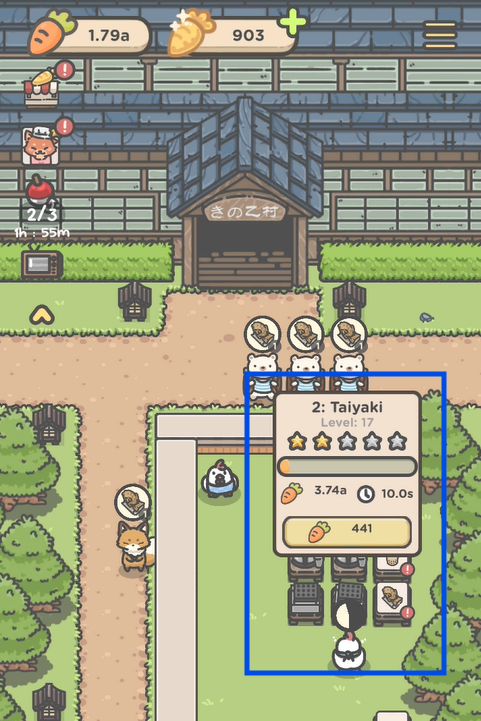
You will earn a star whenever it reaches a certain level. Each star unlocks an additional cooking station, allowing you to prepare more orders simultaneously. As teas and snacks level up, they are prepared faster, and at certain milestones, you will notice their preparation time decrease by a few seconds.
Each upgrade moves you a step closer to completing the current location. The yellow progress bar at the bottom of the screen shows how far you have progressed in the current location. Max out upgrades of all food items placed on the white display stand to fill the progress bar and move to the next location.
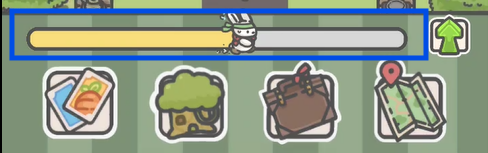
4. Buying upgrades is another great way to progress through a location more quickly. Tap the green upward-pointing arrow in the bottom-right corner of the screen to open the upgrade menu.
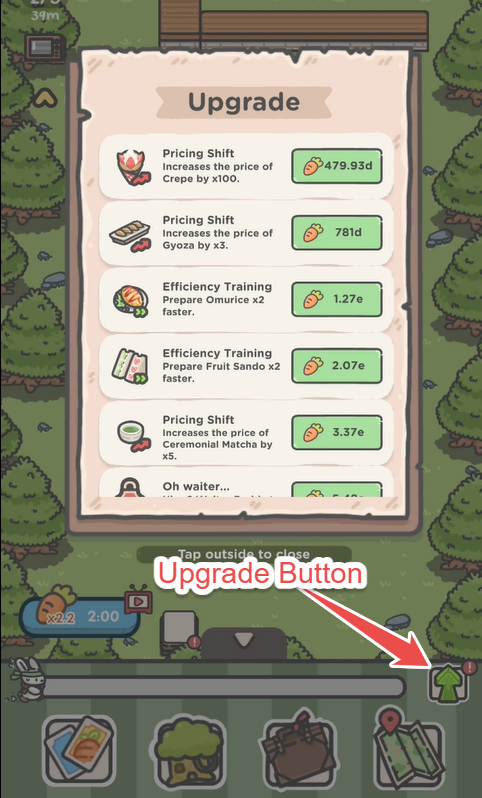
The most oft-repeated common upgrades are:
- Preparing a tea or snack faster
- Hiring a staff/chef buddy to serve
- Adding extra seats for more customers
- Increasing the price of a tea or snack.
- Hiring chef buddies to cook food faster.
Upgrades are relatively cheap at the beginning of each location, but their cost increases as you progress.
How to get Golden Carrots
Tsuki Tea House’s premium currency, Golden Carrots (GC), allows you to purchase seeds and unlock new farm plots. Plant the seeds to grow herbs and tea leaves, which are used to brew tea for Tsuki’s friends. You can also use them to purchase items in the Collection. Here are some of the best ways to obtain them:
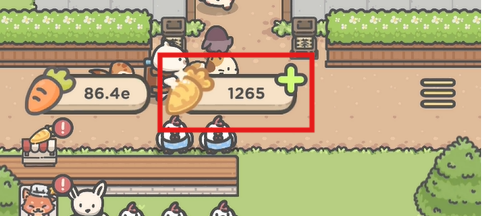
1. Fishing mini-game: You will unlock fishing after reaching the train station in Mushroom Village.
2. Bug-catching mode: Unlocks in the same location. When you catch a bug using a magnifying glass, you have a chance to double your rewards by watching ads.
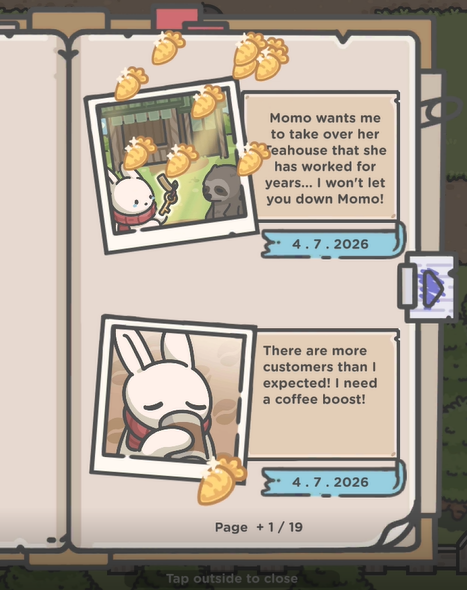
3. Unlocking diary entries: Certain actions throughout the game unlock new diary entries.
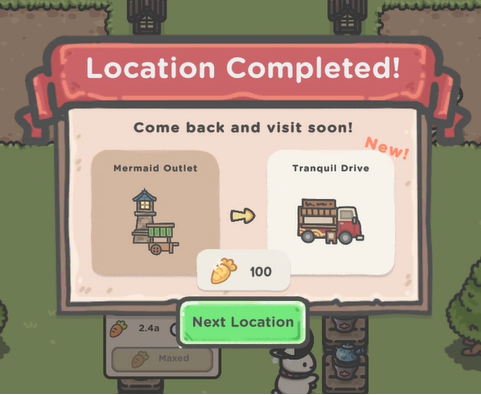
4. Moving to a new location: When you complete a location and move to a new location, you get 100 golden carrots.
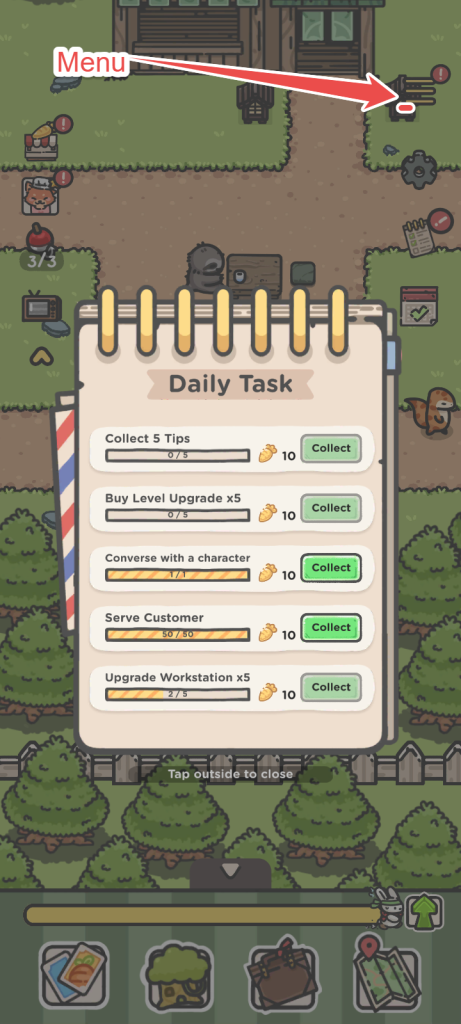
5. Completing daily tasks: You collect 10 GC each time you complete a daily task. Tap the hamburger menu on the upper-right corner of the screen.
6. Serving Guests Their Favorite Teas: Whenever you serve guests their favorite teas, you earn golden carrots. For a full list of recipes and guest favorites, head over to All Tea Recipes in this walkthrough.
You may also get Golden carrots randomly as tips from customers. Also, pay attention to ad rewards on the lower-right corner of the screen. Sometimes, you may get to see 10 GCs for free if you watch an ad.
Fast Progression Tips
You can move to a new location only after you have upgraded all tea and snack items on the white display stands. Spending carrots is the only way to upgrade them. Here are a few tips to speed up progression in a particular level in Tsuski Tea House:
– The Tip Basket is unlocked early in the game and can be obtained for free. Open the Collection by clicking the Cards icon on the lower-left corner of the screen, then get the Tip Basket to start receiving tips from satisfied customers. It begins with a 10% tip chance per satisfied customer, but increases by 2% as you upgrade it. All Collection purchases and upgrades require Golden Carrots.
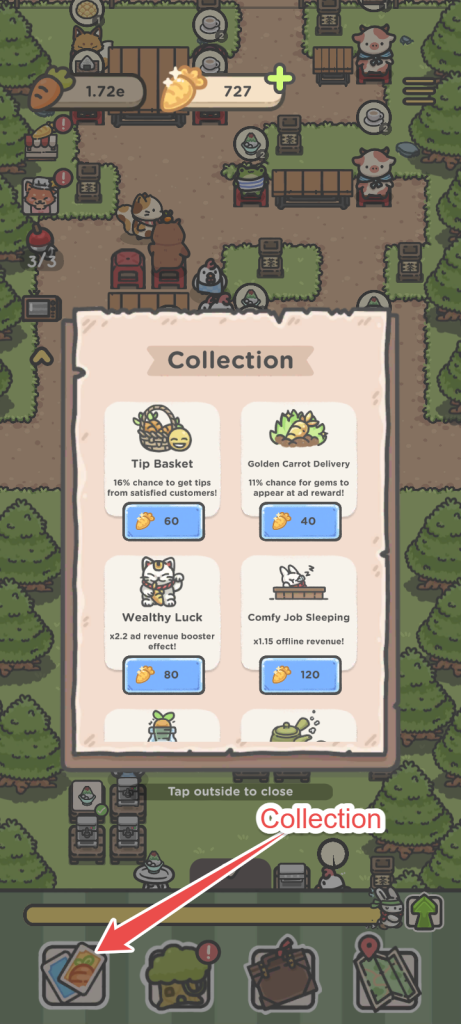
There are more items in the collection:
- Golden Carrot Delivery: Chance for golden carrots to appear at the ad reward on the lower-right corner of the screen.
- Wealthy Luck: Increase the carrot multiplier effect.
- Comfy Job Sleeping: More offline revenue. Get more every time you upgrade this item via the Collections.
- Plenty Tip Carrot: More Carrot tips from customers
- Bountiful Tea: Offline reward time decreases. Less: Higher ad booster duration
- Attractive Tea: Increase in the customer’s move speed.
- Huge Carrot: Ad carrot revenue increase.
Satisfied customers may leave tips on their tables. Scroll around the tea house and check each table for bonus carrots, then tap to collect them.
– Start buying upgrades right from the beginning. Tap the upward-pointing green arrow on the lower-right corner of the screen to get a list of upgrades. Upgrades such as hiring staff/chefs and increasing the price of the tea or snack can increase your earnings at a faster rate. Spend carrots to buy an upgrade. As soon as you start earning carrots from your customers, keep an eye on the upgrades section to check the cost of each upgrade and start buying once you see 3-4 upgrades are available for purchase.
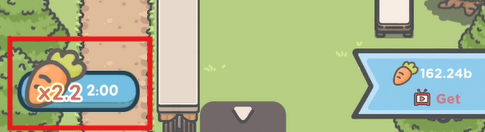
– Always activate the Carrot Multiplier, located in the lower-left corner of the screen. Activating it requires watching an ad, so if you prefer an ad-free experience, you can safely skip this tip. But if you don’t mind watching ads, keep the multiplier active whenever possible to earn carrots faster.
Note that it lasts only a few minutes, so you will need to watch another ad every 2-3 minutes to maintain the bonus. To increase the multiplier, buy Wealthy Luck from the Collection.
– You can also earn a large number of carrots at once by watching an ad. Bonus carrots appear in the lower-right corner of the screen at regular intervals. As you progress through the game, this reward becomes available as soon as you enter a level, and the number of carrots offered can be quite substantial.
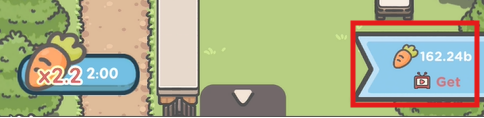
I recommend claiming the bonus right away and using the carrots to purchase upgrades. You can then upgrade the tea and snack items displayed on the white stands.
– Once you unlock the Train Station in Mushroom Village, you will be able to hire managers to help you in your tea shop. Tap on Yori’s icon on the top-right corner of the game screen:
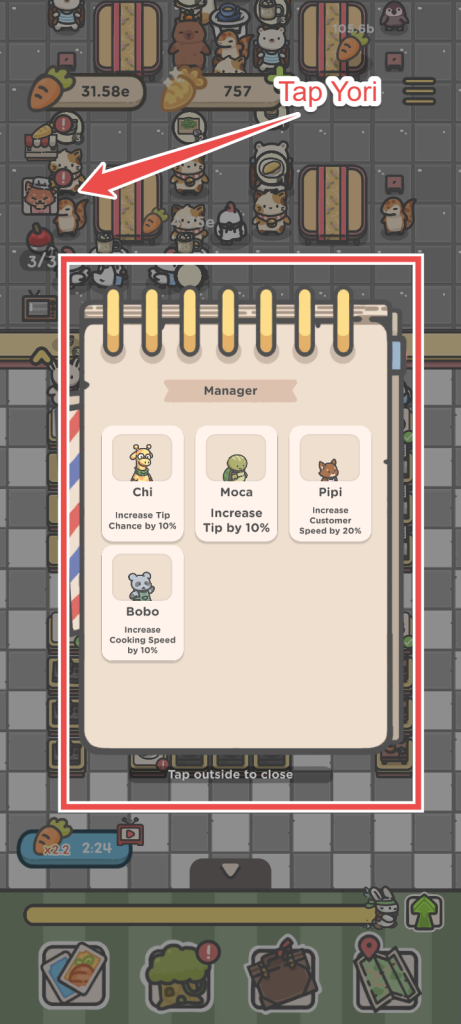
There are four ready-to-hire managers:
- Chi: Hire him if you want to increase the tip chance.
- Moca: Does the same as Chi. Increases tip chance.
- Pipi: Increases customer movement speed, allowing customers to arrive at and leave your tea house more quickly.
- Bobo: Increases cooking speed at the cooking stations. Faster cooking, faster servings. More carrots!
Hiring a manager requires watching an ad. Once hired, the manager remains active for 2 minutes. You can only have one manager working at a time. When the timer expires, you will need to watch another ad to hire another manager.
– Deploy cards to get bonus effects. The card’s effect lasts only for the current level. You can obtain cards from Daily Rewards that pop up on your screen each day:
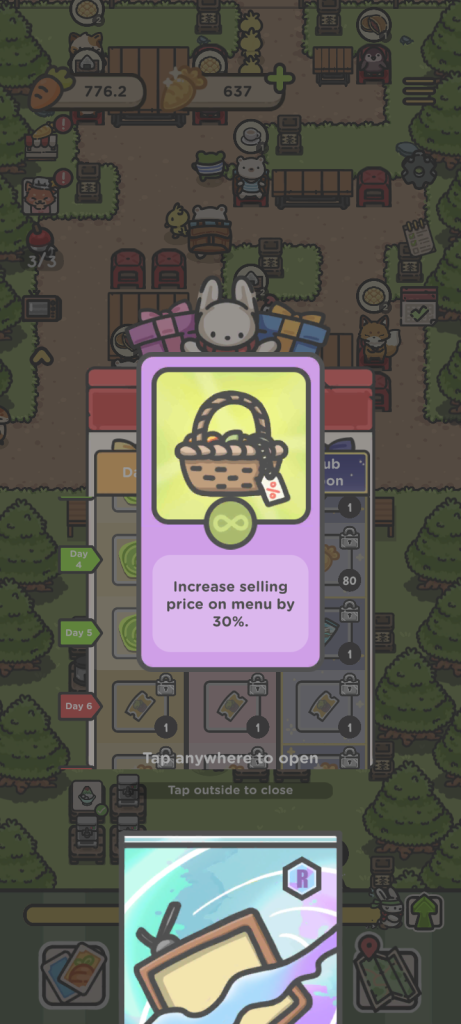
To deploy a card, tap on the television icon on the upper-left corner of the screen. You can deploy three cards at once.
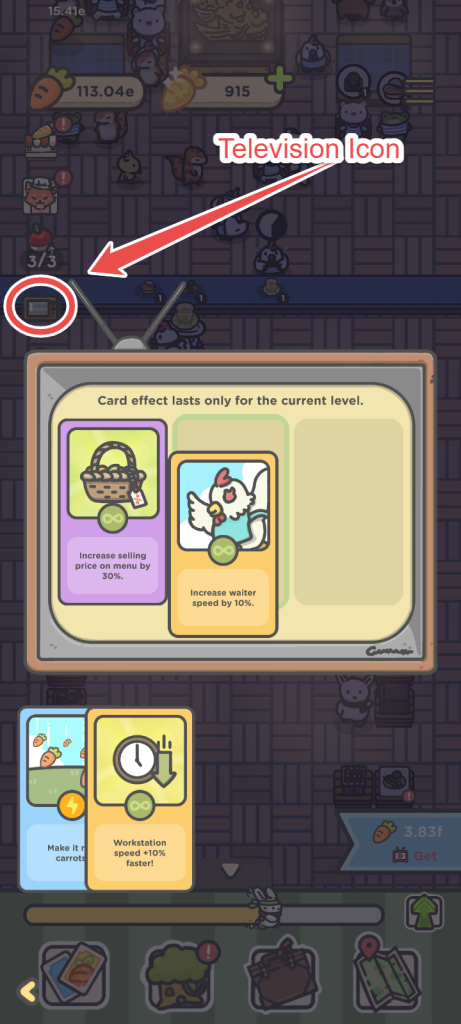
Drag and drop one card from the bottom to the empty slot to activate it. Cards cannot be carried over to a new location. Their effect remains active only for the current location.
- There are four types of cards:
- Increase the selling price by a certain percentage
- Make it rain carrots.
- Faster workstation speed
- Increase waiter speed.
All tips mentioned above will help you progress faster, especially in the advanced levels.
How to Catch Fish
In Tsuki Tea House, you will unlock fishing once you reach the Train Station in Mushroom Village. Tap the red/white bobber on the top-left corner of the screen to begin catching fish off the Mermaid Coast. More fishing locations will be unlocked as you progress through the game.
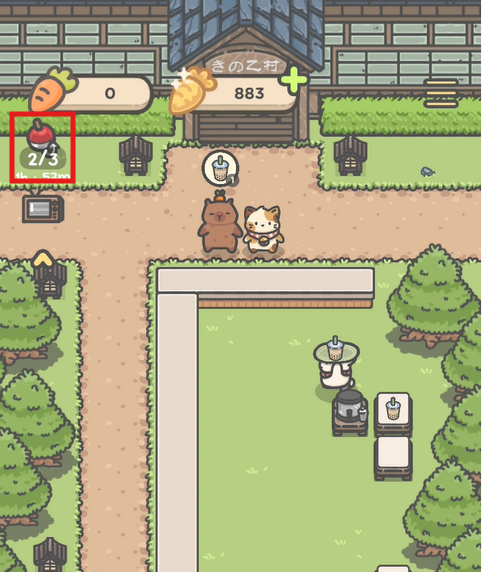
Gameplay is straightforward. Pay attention to the moving arrow on the meter and tap when it enters the green zone. You have 30 seconds to catch as many fish as you can.

Each time you tap while the arrow is inside the green zone, you catch fish. The green zone then shifts to a new position on the meter, and the arrow may also move faster, making it more challenging to time your taps.
Tapping in the red zone results in losing 2-3 seconds and temporarily freezes the fishing minigame.
Catch as many fish as you can within the 30-second time frame. When the minigame ends, you will be rewarded with golden carrots. You start with three fishing chances. Every chance you use will be restored after 2 hours.
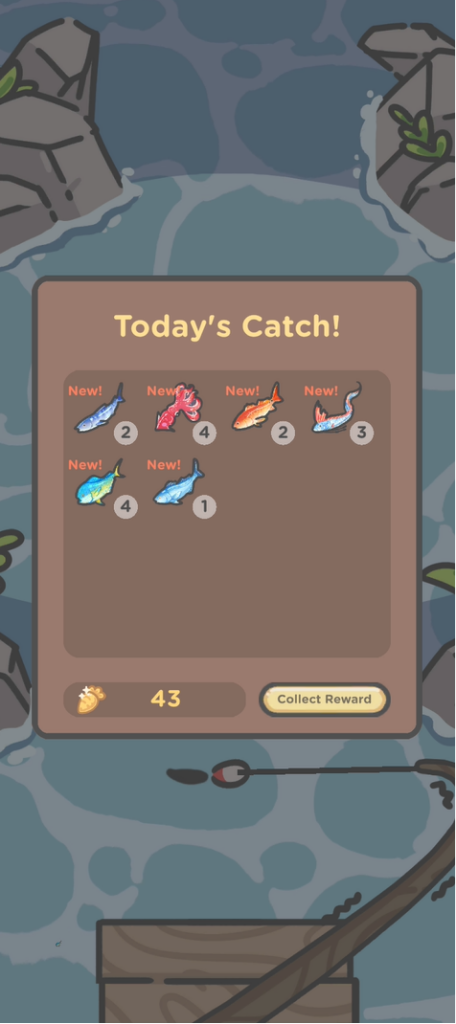
To view all the fish you’ve unlocked, tap the Briefcase icon at the bottom of the screen. Then select the Fishing Rod tab to see every fish you’ve caught so far.
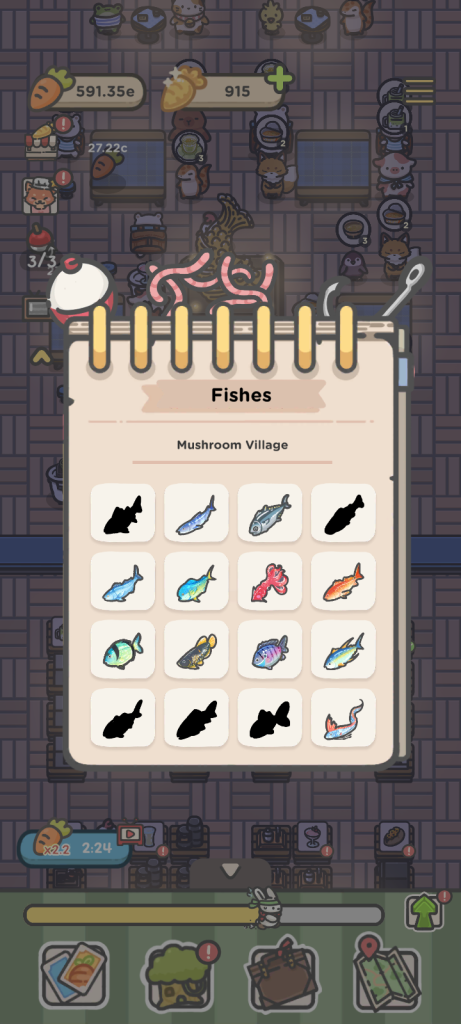
The fish are organized by location for easy reference. Select a fish to see when it can be caught (its active hours) and its rarity.
How to Catch Bugs
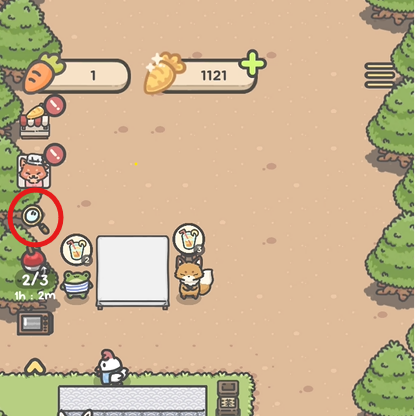
Tsuki Tea House’s bug-catching mode unlocks when you reach the Market in Mushroom Village. To begin catching cute critters, tap on the magnifying glass in the top left corner of the screen.
Next, tap and hold the screen to magnify a particular spot to look for tiny hidden bugs.
Press and hold the screen while dragging your finger up and down to search the area. When the magnifying glass detects a hidden bug, keep holding until the circle around it is filled. Once the circle is complete, you will catch the bug.
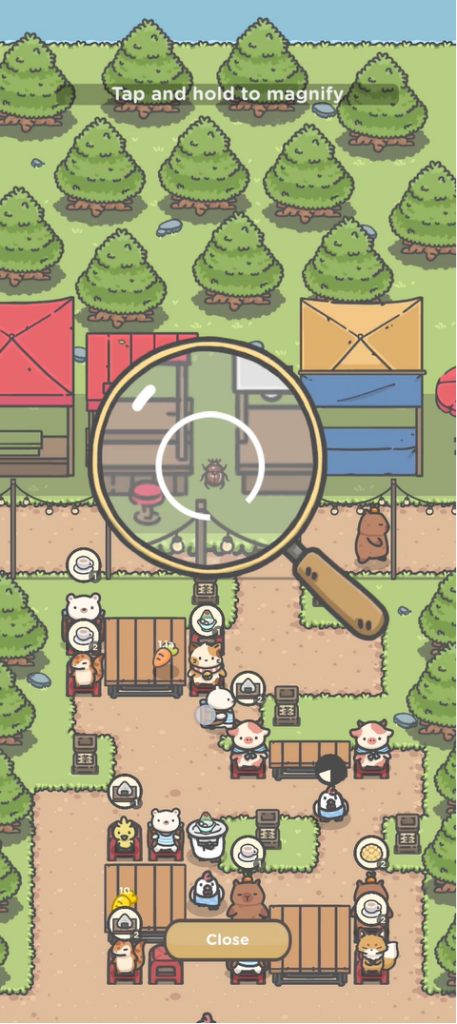
Whenever you find a new bug, claim it to receive Golden Carrots as a reward. You can also watch an ad to double the reward.
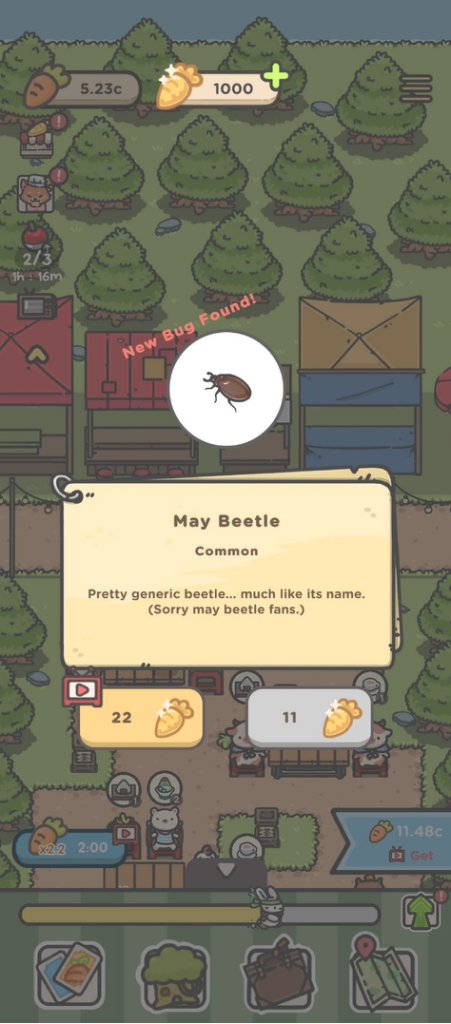
The magnifying glass only appears in locations where bugs are currently available. If there are no bugs in a location, it won’t appear.
Be sure to revisit previously explored locations at different times of the day, as there may be new rare bugs hidden in those locations. To check, tap the Map icon in the lower-right corner of the screen, then tap the Globe icon in the lower-left corner to choose a region. Select any location to see if the magnifying glass is displayed. If it is, that means hidden bugs are waiting to be caught there.
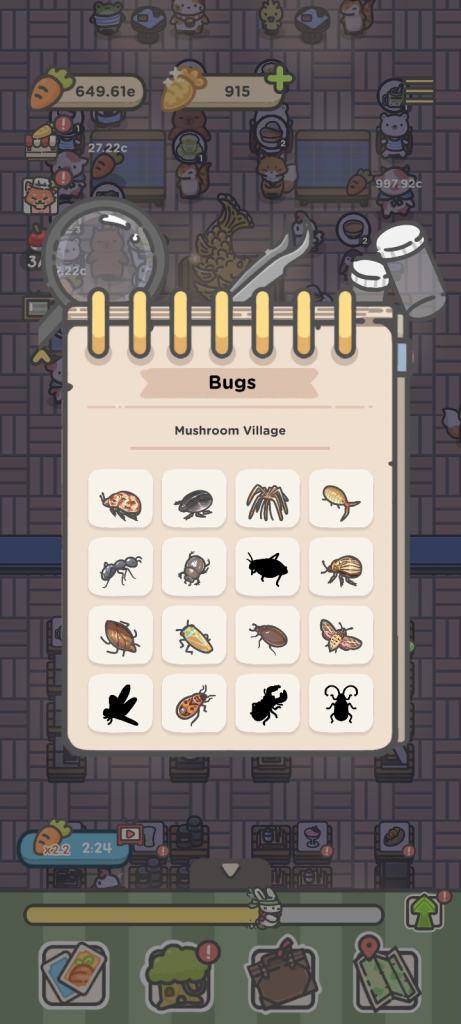
To see a full list of all bugs you have caught so far, tap the briefcase at the bottom of the screen and then tap the bug catcher next to the fishing rod.
How to Make Tea
You can start brewing drinks in Tsuki Tea House once you unlock the Mermaid Outlet location in Mushroom Village. A simple tutorial explains how to brew Jasmine Tea for Momo. But the tutorial ends abruptly and doesn’t show you where to get ingredients for brewing tea. Do we have to buy them or can we grow them in our in-game mini farm? Also, you will have to combine the correct ingredients to brew various types of drinks. One wrong combination and you get that dreaded “weird drink” card on your game screen.
You will need herbs, fruits, and tea leaves to brew tea. Here’s how to acquire seeds, plant, and harvest them to get the required ingredients:
1. Purchase Seeds
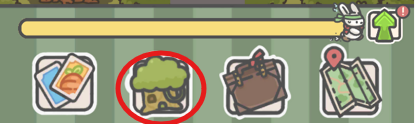
Tap the tree house menu at the bottom of the screen.
Once you are in Tsuki’s tree house, tap on Yori’s icon in the lower-right corner of the screen.

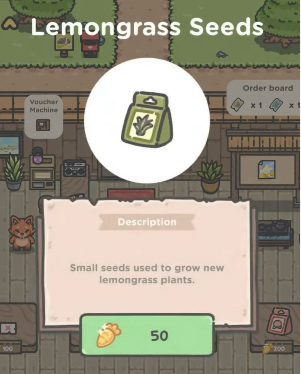
You will see four random-seed bags for sale. Yori restocks multiple times a day. If you don’t find the seeds or ingredients you need, check back later. I am not quite sure what time you will have to check for new seed stocks, so do check back at regular intervals throughout the day.
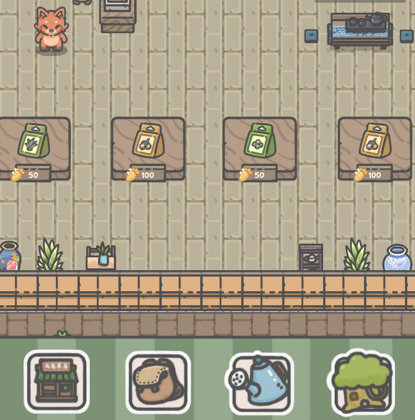
You will need Golden Carrots (GC) to purchase seed bags. You will need at least 50 GCs to purchase a seed bag, but the price increases up to 200 GCs for rare seeds. To know how to get golden carrots for free, read my Tsuki Tea House guide.
2. Farming: Planting Seeds
After purchasing seeds, tap the Watering Can icon at the bottom of the screen to begin farming.
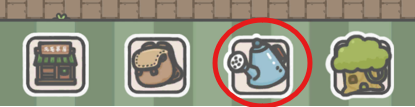
Your mini farm consists of nine plots, but only one is unlocked at the start. You will need to spend Golden Carrots to unlock the remaining plots. For the first row, you can unlock a plot by paying 400 GCs. This increases to 800 GCs per plot in the second row and 1600 GCs per plot in the third row.
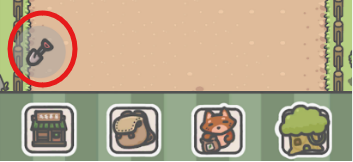
To put seeds on unlocked farm plots, tap the spade icon in the lower-left corner of the screen.
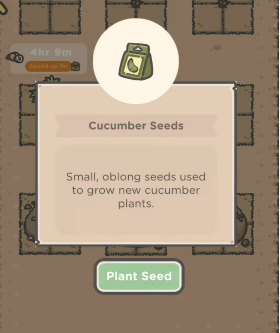
Tap a seed bag to select it, then press the Plant Seed button. Different seeds have different growth times. Some can be harvested in as little as 1 hour, while others take several hours.
Your inventory consists of 10 slots, so you can buy and store a max of 10 seed bags in your inventory.
3. Reduce Harvest Time
You will need Fertilizer to reduce harvest time and speed up crop growth. AFAIK, there’s only one way to acquire fertilizer in Tsuki Tea House:
– Tap the shop (carrot icon) on the upper right corner of the screen.

– In the shopping section, tap the potted plant button on the lower-right corner of the screen.
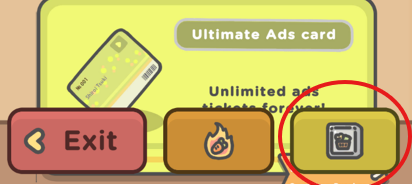
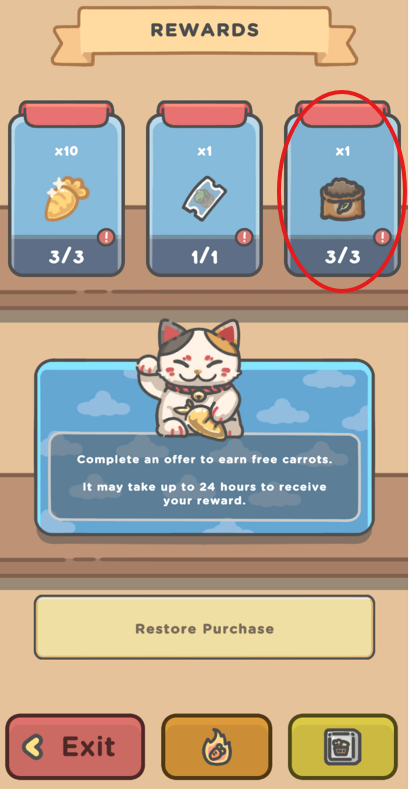
– Scroll down until you reach the end of the screen. In the “Rewards” section, tap the third button with the fertilizer icon. You will have to watch an advert to get it. You can get a maximum of 3 fertilizers per day.
– Exit the Rewards screen and return to your farm. Tap the timer above a farm plot to use Fertilizer and reduce the crop’s remaining growth time.
4. Making Tea
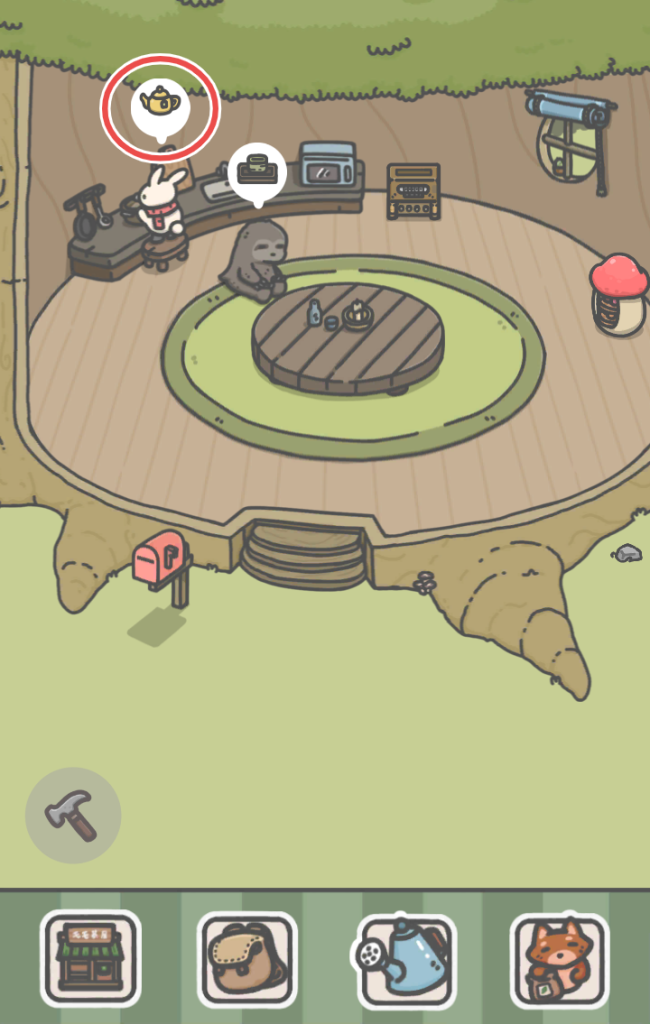
After you have harvested the ingredients for brewing a drink, tap on the tree house icon in the lower-right corner of the screen. Tap on the kettle icon above Tsuki to bring up the tea brewing mini-game:
Drag and drop the ingredients into the empty slots on the kettle. There are five slots in total, allowing you to combine up to five ingredients to make tea.
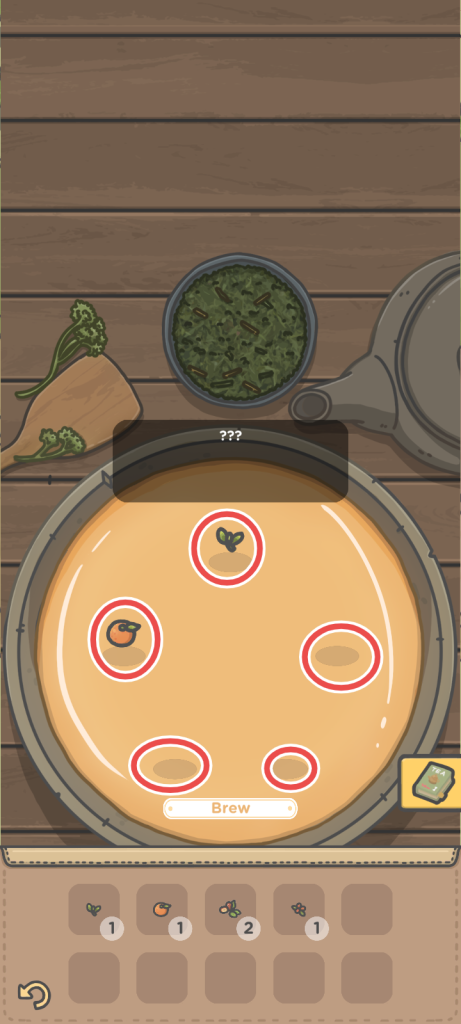
Tap Brew to start making tea. Combining the right ingredients will produce a delicious drink. However, if you use the wrong combination, you’ll end up with the dreaded Weird Drink instead.
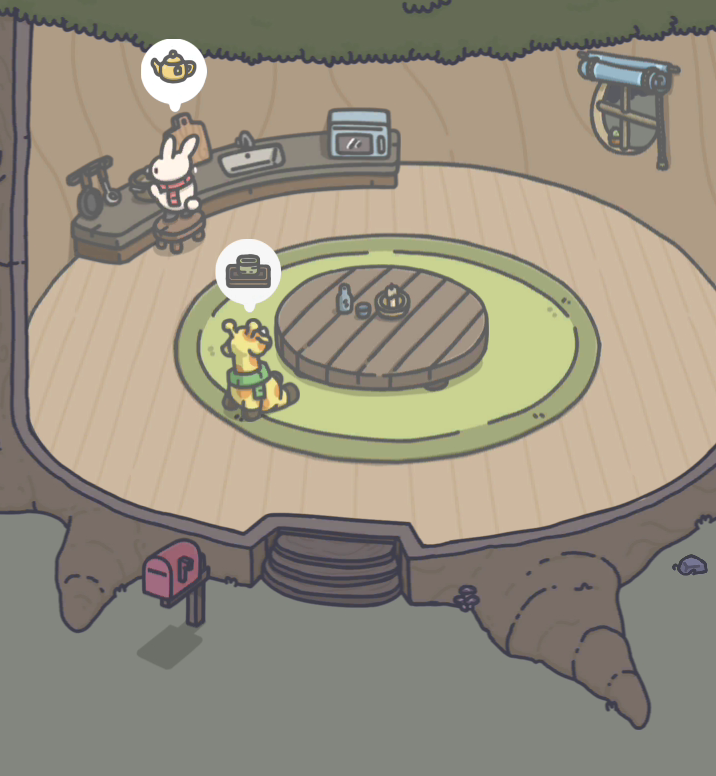
Next, tap on the teacup icon above Tsuki friend’s head to serve them the tea.
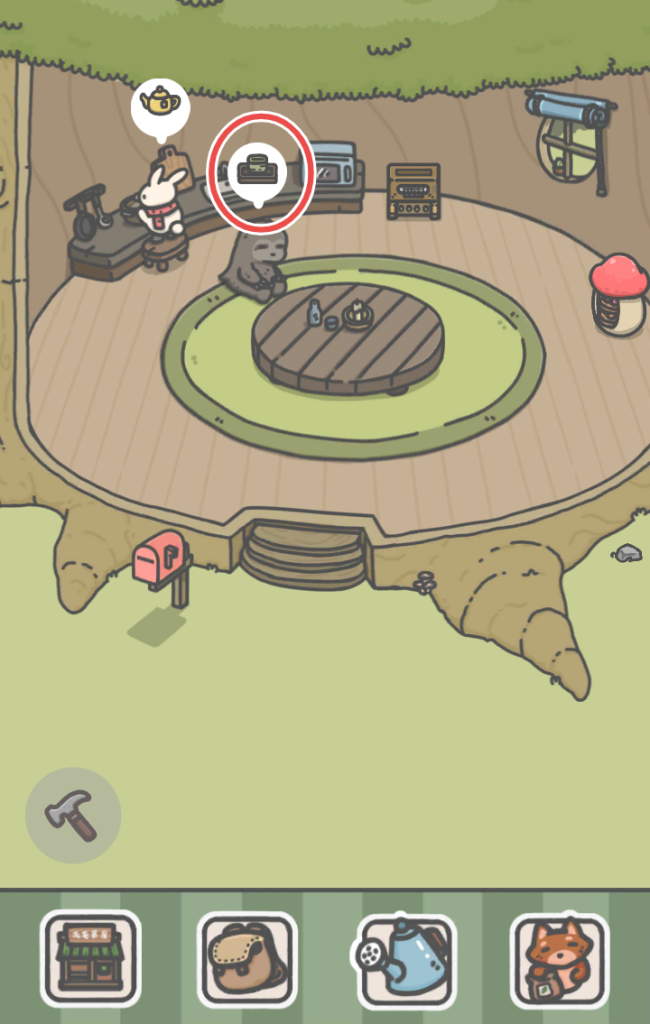
Whenever you find a new tea by brewing the correct combination of ingredients, it is automatically added to the Tea Encyclopedia. Tap the book icon in the lower-right corner of the tea-brewing mini-game screen to view all of the tea recipes you have unlocked so far.
All Tea Recipes
Brewing and serving tea to Tsuki’s friends is one of the most wholesome parts of the game! However, you will need the right ingredient combinations before serving them, or you will be greeted with the dreaded “Weird Drink” message. Don’t worry, though. Here’s my complete list of all tea recipes and guest favorites in Tsuki Tea House.
Ingredients List
Since ingredients are represented only by icons in this game, it can be difficult to tell them apart. Use the ingredient index below to quickly identify every herb, fruit, flower, tea leaf, and other brewing ingredient.
Ingredient | Icon |
Tea Leaf |  |
Jasmine |  |
Lemongrass |  |
Mint |  |
Basil |  |
Lime |  |
Orange |  |
Lemon |  |
Grapefruit |  |
Peach |  |
Apple |  |
Lychee |  |
Red Date |  |
Goji |  |
Longan |  |
Ginger |  |
Cucumber |  |
Tea Essence |  |
Lemongrass Extract |  |
Apple Concentrate |  |
Note: Always stock up on common ingredients, such as tea leaves, lime, basil, jasmine, mint, peach, orange, and lemon.
All Recipes
Now that you know how to identify each ingredient, you can start combining them to brew delicious teas. Here are all the tea recipes in Tsuki Tea House, along with the ingredients required for each.
Extracts and Concentrates
- Tea Essence: Tea Leaf x5
- Lemongrass Extract: Lemongrass x5
- Apple Concentrate: Apple x5
Jasmine
- Jasmine Tea: Tea Leaf + Jasmine
- Jasmine Peach Iced Tea: Tea Leaf + Jasmine + Peach
- Jasmine Citrus Refresher: Jasmine + Lime + Orange + Grapefruit
- Citrus Jasmine Fruit Punch: Jasmine + Mint + Grapefruit + Orange + Lemon
Peach
- Peach Longan Jasmine Tea: Tea Leaf + Jasmine + Peach + Longan
- Peach Mint Basil Cooler: Peach + Mint + Lime + Basil
- Tropical Peach Lychee Bliss: Peach + Lychee + Longan + Lime + Basil
Lemongrass
- Lemongrass Lime Cooler: Lemongrass + Lime
- Lemongrass Ginger Tea: Lemongrass + Ginger
- Mint Basil Lemongrass Fusion: Mint + Basil + Lemongrass Extract + Lime
Lychee
- Lychee Basil Infusion: Lychee + Basil
- Lychee Longan Lemon Tea: Lychee + Longan + Lemon + Tea Leaf
Mint
- Citrus Mint Cooler: Mint + Orange + Lime
Cucumber
- Cucumber Mint Refresher: Cucumber + Mint
- Cucumber Lime Spritz: Cucumber + Lime
- Cucumber Lemongrass Basil Brew: Cucumber + Lemongrass + Basil
Goji Berry and Red Date
- Goji Berry Red Date Brew: Goji Berry + Red Date + Tea Leaf
- Goji Red Date Ginger Tonic: Goji + Red Date + Lemon + Tea Leaf + Lemongrass Extract (?)
- Ginger Goji Lemon Tea: Ginger + Goji + Lemon + Tea Leaf
- Red Date Ginger Tea: Tea Essence + Ginger + Red Date
Apple
- Apple Peach Citrus Cooler: Apple Concentrate + Peach + Lime + Orange + Basil
Guest Favorites: All Teas
When Tsuki’s friends visit the treehouse, serving the correct drink unlocks new diary entries and rewards you with Golden Carrots. Below is a complete list of every guest’s favorite tea at Tsuki Tea House.
- Bobo: Lychee + Basil
- Momo: Jasmine + Tea Leaf
- Chi: Cucumber + Mint
- Moca: Lemongrass + Ginger
- Pakku: Lychee + Longan + Lemon + Tea Leaf
- Pipi: Jasmine + Lime + Orange + Grapefruit
- Jun: Ginger + Goji Berry + Lemon + Tea Leaf
- Kimbo: Jasmine + Tea Leaf + Peach